Make microphone pitch tuner part of your practice
The Microphone pitch tuner estimates the pitch of one steady sound captured by your microphone and reports the nearest note in twelve-tone equal temperament, along with a cents offset. Use it at a quiet location with a single sustained note, such as a sung or played A, to check how close that note sits to a reference pitch. Microphone access is requested only after you press the explicit start control, and processing stays in your browser.
What the estimate means
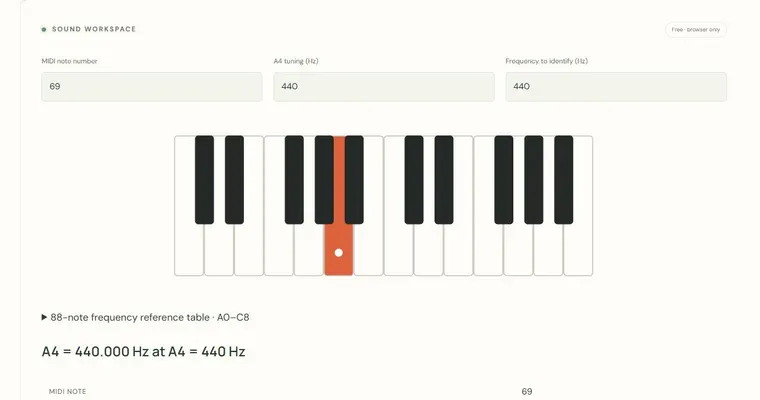
The tool measures how often a repeating waveform cycles per second. That rate is the estimated frequency in hertz. The page then finds the nearest note in equal temperament, where each semitone is a frequency ratio of the twelfth root of two, about 1.0595. With the fixed reference A4 = 440 Hz, the note A4 is exactly 440 Hz, and A5 is 880 Hz because an octave doubles the frequency. The cents offset shows how far the estimate sits from that nearest note: 100 cents equal one semitone, so a reading of +10 cents is slightly sharp of the named note.
Why a stable reading matters
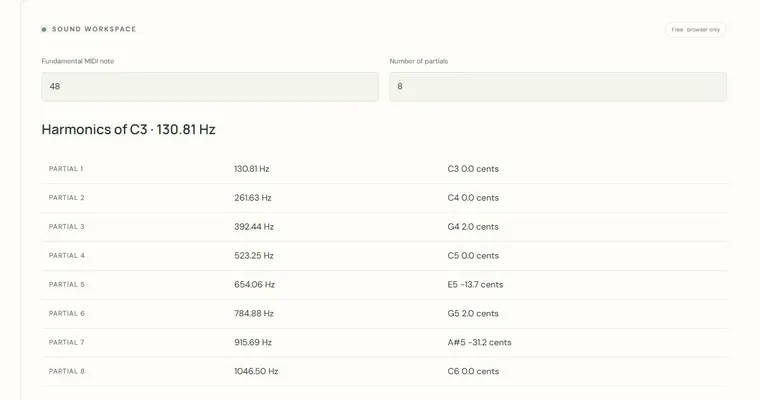
A single brief reading can be misleading, because breath changes, room reflections and background noise can briefly shift the waveform. A stable estimate that stays near the same value across several seconds is far more trustworthy than one spike. Compare repeated readings of the same sustained note. If the displayed note jumps by an octave, the tool may be locking onto a harmonic rather than the fundamental, which is a known limitation of pitch estimation rather than a sign that your note changed.
Where this fits in your practice
The tuner helps you notice whether a sustained tone is consistently sharp or flat relative to 440 Hz. It is best used as a quick check, not as a full tuning workflow. For piano or other instrument tuning, work at the physical instrument with a tuning method suited to that instrument, and use an external tuning app or professional service if you need precision. This tool does not assess vocal health.
Try it step by step
- Move to a quiet room and place the microphone near the sound source, then press the start control to grant microphone access.
- Sustain one clear note, such as an A near 440 Hz, and wait several seconds for the reading to settle.
- Read the estimated frequency, nearest note and cents offset, and repeat the note two or three times to check consistency.
- Press the stop control when finished so the active microphone tracks are released.
A concrete example
You sustain a steady tone and the tool reports an estimate of about 446 Hz. Dividing 446 by 440 gives about 1.0136, and the semitone ratio is 1.0595, so the note sits roughly 23 cents above A4 (1200 × log2(446/440) is about 23.3). The displayed result should read A4 with a positive cents offset of roughly +23.
A common wrong turn
Reading a single octave-shifted result as a wrong note, or testing with several notes or chords at once.
Try this instead: Use one sustained note in a quiet space and compare several readings. If the estimated octave jumps, try a clearer input or a different microphone position at an ordinary comfortable volume. A cents result is an estimate, not a precision calibration.
Where to go next — and why
This guide was drafted with Claude Haiku and edited against this tool’s implemented controls. Report a confusing instruction or incorrect example.