Make local practice dashboard part of your practice
The Local practice dashboard shows a short summary of what you have tried on this device: attempts, correct answers, completed timer minutes and your daily challenge streak. It is a self-practice aid for noticing patterns in your effort, not an account, a teacher report or a measure of overall musical skill.
What the metrics mean
Attempts and correct answers summarize submitted responses in supported trainers. Accuracy is the proportion of those answers marked correct, not a general musical grade. Completed focused countdowns add their selected active minutes; tempo-ladder sessions add elapsed time even when stopped early. Saving a daily challenge adds a participation date. These categories describe different activities, so use the per-tool rows rather than interpreting one overall number as a complete assessment.
What the streak measures
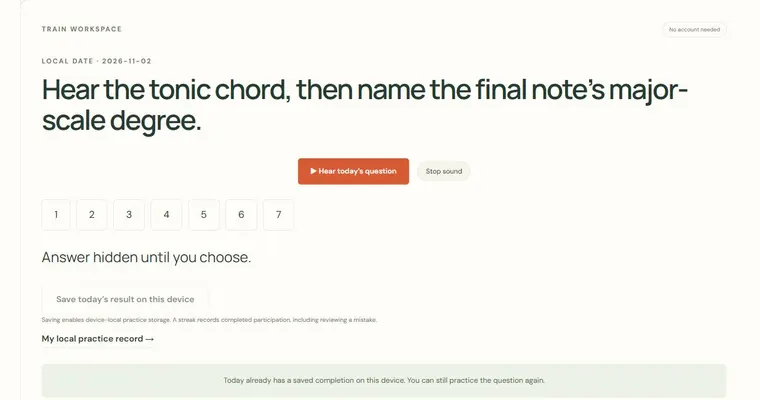
The daily challenge streak records consecutive days on which you completed that day's listening question. It measures participation and consistency only. A streak does not prove that you understood the material, and a broken streak does not mean you failed. Because the challenge is the same for everyone on a given calendar date, the streak is simply a reminder to show up, and it is worth remembering that changing the device date can change which challenge you see.
Why this helps
Seeing the numbers side by side makes it easier to decide what to do next. If you have many minutes but few correct answers in a trainer, the useful move is to slow down and repeat that exercise. If you have answered many questions accurately but logged little timed practice, a focused session may be the better choice. The dashboard supports that decision; it does not make the decision for you.
Try it step by step
- Turn on the remember-on-device choice on this page only if you want practice summaries kept in this browser.
- Answer a listening question in a supported trainer, then return here to confirm the attempt count increased.
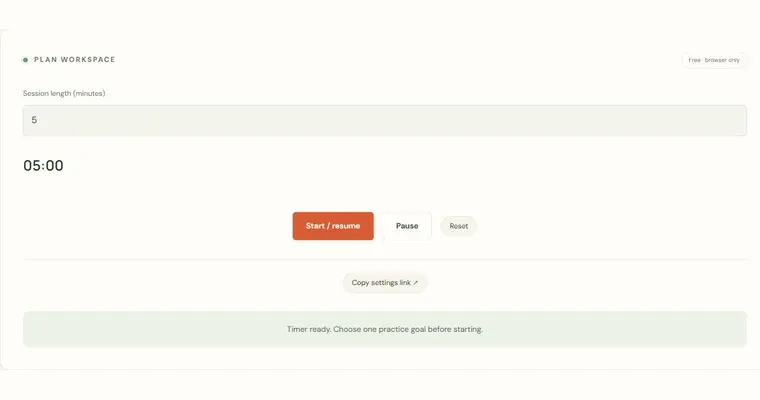
- Run a short Focused practice countdown, pause and resume once, and let it finish so its minutes are counted.
- Choose one metric to act on, repeat that specific exercise, and use the export or clear controls here as you wish.
A concrete example
Enable device-local storage and answer two interval questions, one correct and one incorrect. The dashboard shows 2 attempts, 1 correct answer and 50 percent accuracy. Complete a 10-minute countdown and completed timer minutes rises by 10. The sensible next step is to repeat the interval trainer, because the accuracy figure points to a specific gap, not to add more minutes.
A common wrong turn
Treating a long participation streak or a high aggregate percentage as proof that every musical skill has been mastered.
Try this instead: Choose one specific task to inspect next. Read the per-tool counts, revisit an uncertain example and keep your own observations about playing an instrument; the dashboard does not hear or assess that playing.
Where to go next — and why
This guide was drafted with Claude Haiku and edited against this tool’s implemented controls. Report a confusing instruction or incorrect example.