Make treble & bass staff trainer part of your practice
The Treble and Bass Staff Trainer asks you to name the natural note shown on a five-line staff. Its purpose is to connect a written vertical position to a letter name, so you can read a line or space without counting from a memorised starting point every time. Choose a clef, look at the note, and answer. The exercise covers natural notes only, so it is a reading drill rather than a complete notation lesson.
What the result means
Each line and space on a staff represents a letter name. The clef sets the starting point: a treble clef puts G4 on the second line, and a bass clef puts F3 on the fourth line. Your answer is scored on the first attempt to each question, so a correct result means you named the position correctly without a second try. A wrong result shows which letter you named versus the one displayed, which helps you spot whether you confuse neighbouring lines or spaces.
Why it helps
Reading becomes faster when you stop calculating every position. Moving up one line or space changes the letter name by one step, regardless of the semitone distance between those notes, so the staff is a map of letter names rather than of keyboard keys. Practising both clefs trains you to switch reference points, which matters when a piano score uses both staves at once. Because the trainer shows one note at a time, it isolates the skill of position-to-name recognition.
Limits of the exercise
The questions test natural-note letter names in treble or bass clef. Accidentals, key signatures, rhythm and fingering are not included. Optional playback sounds the displayed pitch once, which can help connect the symbol with sound; it does not assess your playing or singing. The trainer has no microphone or hardware MIDI input.
Answer on the pitch keyboard
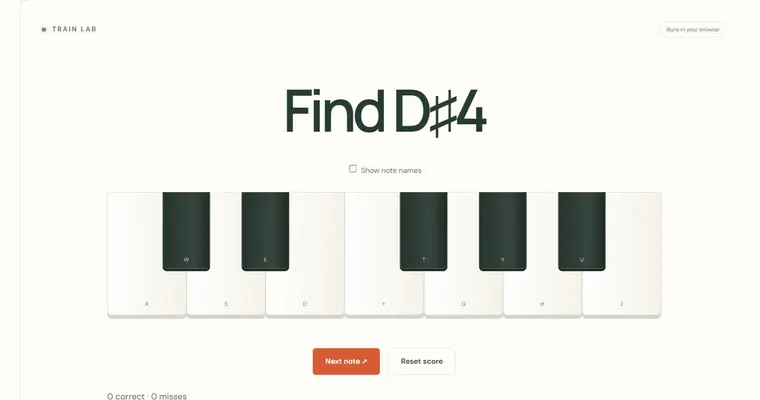
You can answer with a letter-name button or with the exact note on the keyboard below the staff. Keyboard answers distinguish octave as well as pitch, so E3 does not count as E4. The staff remains the question; the keyboard is an alternative input surface, not a microphone or hardware MIDI connection.
Try it step by step
- Select Treble or Bass in the Clef control before answering, and keep that choice for the set of questions you are practising.
- Find the bottom line of the displayed staff and name it from memory, using the reference pitch for that clef.
- Count letter steps from the bottom line to the displayed note, moving one letter name for each adjacent line or space.
- When the bottom-line position feels familiar, answer without counting, then check the explanation to confirm the pitch and octave before the next question.
A concrete example
On a treble staff the bottom line is E4. Move up one staff position to the space above it for F4, then one more position to the second line for G4. Each move advances one letter name. E to F is a semitone while F to G is a whole tone; staff position tracks letter order rather than equal semitone distances.
A common wrong turn
Counting the distance in semitones or assuming that a line and the space above it are always a whole tone apart, then naming a note by estimated pitch instead of letter position.
Try this instead: Count only letter names: each adjacent line or space moves one letter, skipping no letters on the way. Remember that E to F and B to C are adjacent letters at a semitone, and check the answer against the bottom-line reference before submitting.
Where to go next — and why
This guide was drafted with Claude Haiku and edited against this tool’s implemented controls. Report a confusing instruction or incorrect example.