Make tempo ladder trainer part of your practice
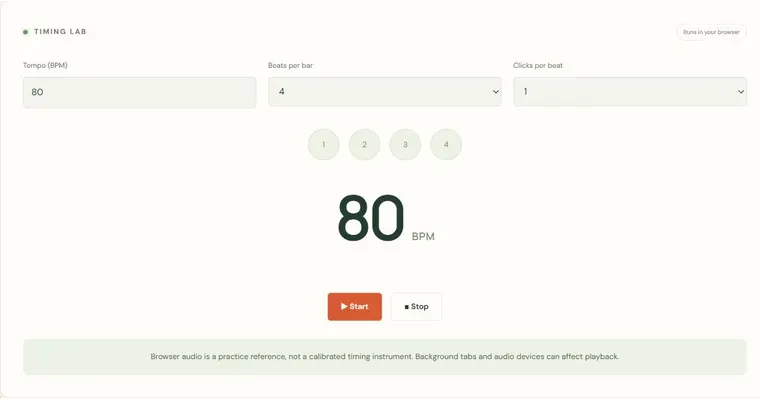
The Tempo ladder trainer raises a metronome tempo in fixed stages after a set number of bars. Its job is to make a planned speed change explicit: you choose a start BPM, a target, a step size and how many bars to spend at each stage, then the preview lists every stage before playback begins. Use it to practise one short pattern at a series of controlled speeds, not to chase the final number.
What the stage list means
Each stage is a tempo held for a fixed number of bars. In the example, 60 to 80 BPM in steps of 5 gives five stages: 60, 65, 70, 75 and 80 BPM. Because the tempo changes at bar boundaries, you always know exactly when the next speed begins. Reading the preview before you start lets you judge whether the jumps are small enough to play cleanly.
Why small, deliberate steps help
A ladder only helps if you can play accurately at each stage. The tool counts bars and changes tempo, but it does not judge whether you are ready for the next speed. Smaller steps mean more stages to check, and each stage gives you a moment to notice tension, rushing or dragging. Treat each bar at the new tempo as a check on evenness, not a test of endurance.
What the accents and counts tell you
Accented bar beginnings mark the start of each bar, so you can feel where the pattern restarts. Your pattern should line up with those accents at every stage. If the pattern drifts against the accent as the tempo rises, that is a timing signal worth noticing. The tool does not measure this for you; you must listen and compare yourself.
Try it step by step
- Set Start BPM to your comfortable speed, Target BPM to the ceiling you have chosen, and Step size to a small increment such as 5 BPM.
- Set Bars per stage so each stage lasts long enough to play the pattern several times cleanly, then check the stage list in the preview before pressing Start.
- Press Start, play the same short pattern at every stage with the accented first beat as your reference, and press Stop if accuracy breaks down.
- If you stopped early, press Stop, reduce the Target BPM or increase the number of bars per stage, then run the ladder again rather than counting the stopped attempt as a speed achievement. Playing the pattern on a physical instrument is an activity to do away from this page, not inside the tool.
A concrete example
Start at 60 BPM, end at 80 BPM, add 5 BPM after four bars, and count four beats per bar. The stages are 60, 65, 70, 75 and 80 BPM. The total is (80 − 60) ÷ 5 + 1 = 5 stages. At 60 BPM each bar lasts 4 beats × (60 ÷ 60) s = 4 seconds, so four bars take 16 seconds before the change to 65 BPM.
A common wrong turn
Treating reaching the target as the goal and continuing even when the pattern falls apart at a middle stage.
Try this instead: Stop at the last clean stage, record that tempo in your own notes, and rerun the ladder with a smaller step or a lower target. Completing the ladder is not evidence of technical readiness.
Where to go next — and why
This guide was drafted with Claude Haiku and edited against this tool’s implemented controls. Report a confusing instruction or incorrect example.