Make metronome part of your practice
The Metronome gives you a steady pulse with an accented first beat in each bar, so you can check whether your playing or singing stays locked to a constant tempo. It runs in the browser from 30 to 240 BPM, supports 2 to 7 beats per bar, and can subdivide each beat into 1, 2, 3 or 4 clicks. Use it as a reference you practise against, not as a precision timing instrument.
What the pulse tells you
With one click per beat, each click marks the selected beat. With subdivisions enabled, several clicks fit inside that beat. Only the first click of the first beat in each bar is accented. At 120 BPM a beat lasts half a second; one click per beat gives two clicks per second, while two clicks per beat gives four. Beats per bar changes the grouping rather than the duration of a beat.
Why subdivisions help
Setting 2 clicks per beat gives you eighth-note placement against quarter-note beats; 3 clicks per beat gives triplet subdivisions; 4 clicks per beat gives sixteenths. Playing your part against a subdivided pulse shows whether notes that should sit evenly are landing evenly. A rest is a silent duration, so practise rests against the clicks too: a silent beat still has a place in the count.
Why steady is the goal
Playback is continuous until you press Stop, and you can change the tempo live. Practise by holding a fixed tempo for several bars, then nudging it up in small steps. Browser audio can be affected by background tabs and audio devices, so if the pulse seems uneven, check that the page is in the foreground and that your output device is steady before judging your own time.
Try it step by step
- Set the tempo to a speed you can play comfortably using the tempo control, such as 80 BPM.
- Choose beats per bar from 2 to 7; use 4 for common time or 3 for a waltz-style grouping.
- Choose clicks per beat (1, 2, 3 or 4) so your part can be checked against subdivisions like eighth notes or triplets.
- Press Start, play at your instrument or sing for several full bars, then press Stop and repeat, raising the BPM gradually when you stay locked in.
A concrete example
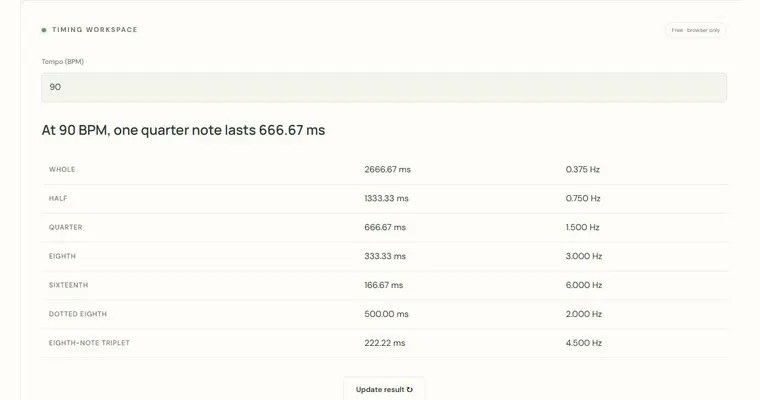
At 120 BPM, each quarter-note beat lasts 0.5 seconds (60 ÷ 120). With 4 beats per bar and 2 clicks per beat, one bar lasts 2 seconds and contains 8 clicks spaced 0.25 seconds apart. The accent falls on the first of those 8 clicks.
A common wrong turn
Believing that changing the beats-per-bar setting changes the tempo, or that every beat carries the accent.
Try this instead: Remember that BPM stays fixed when you change beats per bar; only the grouping changes. The accent marks just the first beat of each bar, so count the bar aloud from one to your chosen number and use the accent to reset your count.
Where to go next — and why
This guide was drafted with Claude Haiku and edited against this tool’s implemented controls. Report a confusing instruction or incorrect example.