Make arpeggio generator part of your practice
The Arpeggio generator turns a single chord into an ordered line of notes you can hear, read in a table and export as MIDI. This guide explains how to read a generated pattern, how to choose settings for focused listening, and how to avoid a common misreading of the returning direction.
What the result shows
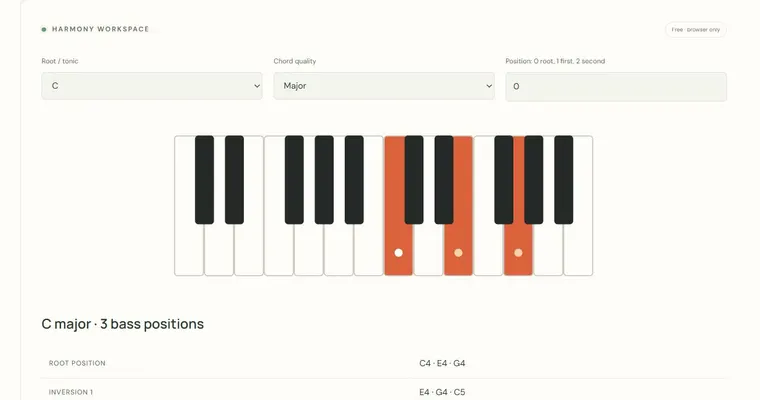
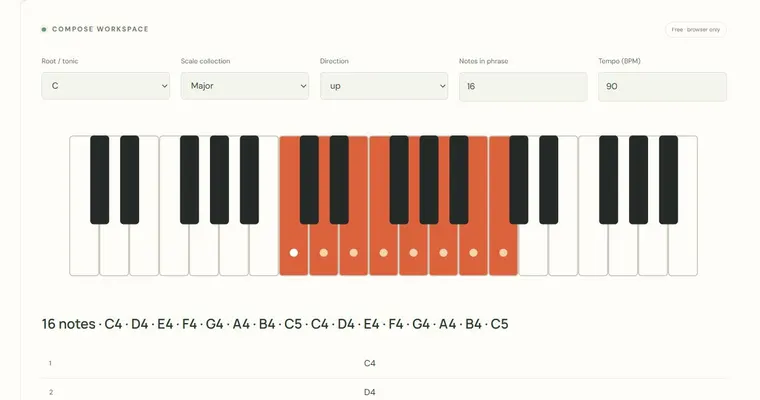
Each generated phrase lists the chord tones of your chosen triad in a fixed order, spread across two octaves. With the root set to C, quality set to major and ascending direction selected, the chord tones are C, E and G. The phrase begins on the lowest of these in the first octave and continues upward, so the pattern C4, E4, G4, C5, E5, G5, C6 contains seven notes. Because the pattern repeats the three pitch classes, each one appears more than once. Reading the table lets you see this repetition before you hear it. The returning direction reaches the top once and then descends. The turning note is not played twice at the join, which keeps the phrase from sounding like a stutter. When you count notes, remember that the sequence is an ordered list, not a random selection of chord tones.
Why this helps
An arpeggio makes a chord's internal structure audible one note at a time. Instead of hearing three notes at once, you hear the intervals between them as melodic steps. Major and minor qualities differ only in the middle note: a major triad stacks a major third and then a minor third above the root, while a minor triad reverses that order. Diminished and augmented triads use different interval pairs, and hearing them in sequence makes those differences easier to recognise. Setting a tempo and a phrase length lets you repeat the same pattern until the order feels predictable. Predicting the next chord tone before playback is a useful check: if your prediction is wrong, the table shows exactly where the expectation differed. This tool does not track progress over time, so keeping your own notes on which patterns you repeated is useful.
How to use the settings
Root and quality determine which pitch classes appear. Direction controls whether the phrase climbs, descends or travels up and back. Notes in phrase sets how many events are generated, and tempo sets the pace, with notes beginning every half beat and a short gap between them. Because each note begins on a half beat, the pulse is clear enough to count along with. Equal temperament applies throughout, so the pitches are the standard tuned pitches of that system rather than just-intoned ratios. The generated audio is one finite example, not a continuous loop. If you want to hear the pattern again, play it once more and count the notes yourself.
Try it step by step
- Before playing, read the table and predict the next chord tone after the first three notes.
- Press the playback control once, listen, then reproduce only the first four notes on a physical instrument or in an external app.
- Change the direction setting to down or updown, keeping tempo unchanged, and compare the new order with the table.
- Export the phrase as MIDI and open it in a compatible external music app to check that its pitches and timing match the table.
A concrete example
C major ascending begins C4, E4, G4, C5, E5, G5, C6. E is 4 semitones above C (a major third) and G is 7 semitones above C (a perfect fifth). The returning direction travels from C4 up to C6 and back toward C4, with the turning note appearing once.
A common wrong turn
Assuming the returning pattern plays the top note twice, or that a minor chord uses the same middle interval as a major chord.
Try this instead: In the returning direction the highest note appears once at the turning point. A minor triad's third is 3 semitones above the root, not the 4 semitones of a major third, so the interval order changes even though the same kind of pattern is generated.
Where to go next — and why
This guide was drafted with Claude Haiku and edited against this tool’s implemented controls. Report a confusing instruction or incorrect example.