Make eight-note melody grid part of your practice
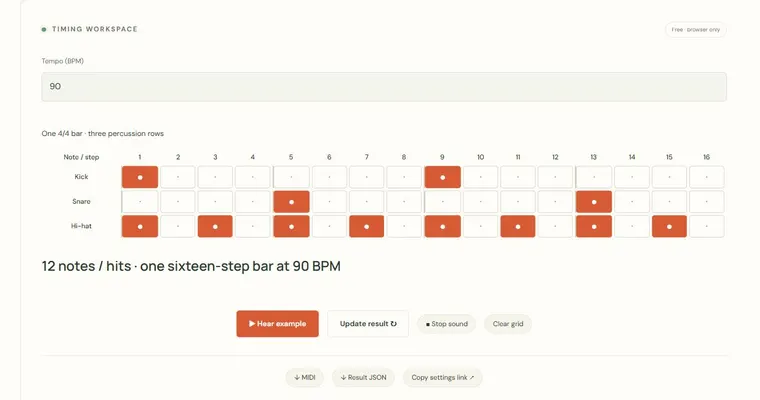
The Eight-note melody grid lets you draw a sixteen-step melody, hear it played back once, and export its notes as MIDI. It is a visual sketchpad: pitch runs up the vertical axis, time runs left to right, and each column is one sixteenth note in a single bar of 4/4 at the tempo you choose. Use it to explore short phrases and rhythmic spacing, not to produce a full arrangement.
What the grid shows
Each row is one degree of the major scale, from the tonic at the bottom to the octave above it. Scale degrees are numbered 1 through 8, where 1 and 8 are the same pitch class one octave apart. Each of the sixteen columns is a sixteenth note, so four columns make one beat and sixteen columns make one bar. Only one cell can be active per column, which keeps the sketch monophonic. A column with no active cell is a rest, and rests are part of the rhythm rather than missing data.
Why the rests matter
Many beginner sketches fill every step, which hides the shape of the phrase. Empty columns make the pulse easier to hear and show where the melody breathes. Compare a phrase that sounds on beats 1 and 3 with one that sounds on every sixteenth; the first has clearer pulse and space, the second is closer to a constant stream. Listening to the gaps between notes is one of the most useful ways to judge a sketch.
What tonic changes
The root setting is the tonic of the major scale used by the rows. Changing it transposes the existing degree pattern to the new key while keeping the same scale-degree relationships. Tempo is set in beats per minute with a quarter note as one beat, so a higher number makes the whole bar shorter in real time. The playback is a single finite pass through the bar, and it uses equal temperament, the standard tuning in which each semitone is the same size.
Try it step by step
- Set Root / tonic to your chosen key and Tempo (BPM) to a comfortable value such as 90.
- Use Clear grid for an empty phrase. Choose one pitch-row cell in each of columns 1, 5, 9 and 13, leaving other columns as rests.
- Play the phrase, then change one note at a time and listen to how the spacing changes the feel.
- To repeat an idea, manually select the corresponding cells in a later group of columns, then change its last pitch. There is no automatic copy/paste control. Export the resulting note events as MIDI for further work in another app.
A concrete example
In C major with C4 as tonic, place C on step 1 and step 9, E on step 5 and G on step 13. Steps 1 to 5 and 9 to 13 are each four sixteenths, one beat, and E is 4 semitones above C while G is 7 semitones above C, both equal-tempered major-triad intervals.
A common wrong turn
Filling every column with notes, which removes rests and makes the phrase hard to follow.
Try this instead: Leave deliberate rests on weak sixteenths, place pitches on beats, and change one note at a time while listening.
Where to go next — and why
This guide was drafted with Claude Haiku and edited against this tool’s implemented controls. Report a confusing instruction or incorrect example.