Make seeded melody generator part of your practice
The seeded melody generator produces a short, reproducible phrase from a chosen scale collection. Treat its output as raw material to edit, not a finished tune. Each run chooses pitches from the selected collection, uses a numeric seed so the same settings always return the same pitch order, and places the tonic at the beginning and end. Rhythm stays on a simple half-beat grid, so your musical decisions will mostly come from pitch, direction and phrasing.
What the result means
The output is a list of pitches taken from one scale collection, with the root set by the Root / tonic control. Pitches are named by scale degree: in C major the degrees are C (1), D (2), E (3), F (4), G (5), A (6) and B (7), with the tonic C returning at the end. Because the generator is seeded, two people using identical settings will see identical pitch order, which makes it easy to compare notes or discuss an idea precisely.
Why the seed matters
A seed makes the generator repeatable. Identical settings and the same seed give the same pitch sequence. Changing the seed produces another deterministic line. Changing the collection reuses the random-number stream with a different pitch collection; for seven-note collections the degree choices align, while switching to a five-note pentatonic collection also changes the index mapping. Compare the resulting notes rather than assuming that every collection changes only one accidental.
Why it helps composing
A constrained starting line removes the blank-page problem. Instead of inventing every note, you judge whether a phrase has a clear direction, whether it resolves convincingly on the tonic, and whether any single leap feels awkward. The generator does not judge these qualities for you, so your ear remains the final authority.
Try it step by step
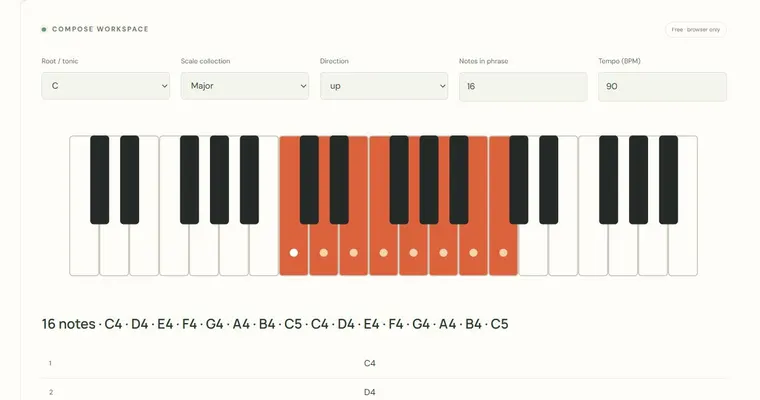
- Set Root / tonic to C, Scale collection to Major, Notes in phrase to 16, Seed number to 123 and Tempo (BPM) to 90, then generate the phrase.
- Write down the first four pitches. Regenerate with the same settings and confirm the same four pitches appear.
- Switch the seed to 124 and compare the new phrase, then return to 123 when you want the original line back.
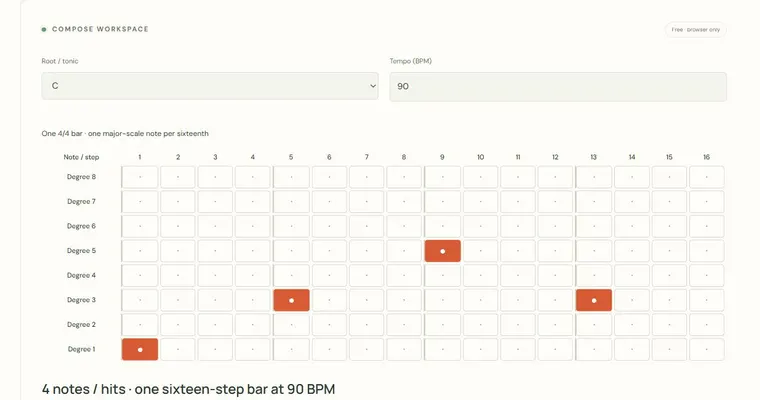
- Open the step sequencer, keep one four-note fragment, change a single pitch, and ask whether the edit changes the line's direction or its ending. Export the MIDI to develop rhythm and dynamics in an external app.
A concrete example
At C major, 16 notes and seed 123, the first eight pitches are C4, A4, C4, F4, D4, A4, F4, A4. Repeating those settings produces the same order. Change just the seed to hear another line; the first and last notes of the full phrase remain the tonic.
A common wrong turn
Assuming the generated phrase is a finished melody and never editing it, or changing settings and expecting the same notes to appear.
Try this instead: Treat each output as a draft. Keep the settings and seed that produced a result you like, change one thing at a time (seed, scale or a single pitch), and check that the tonic still anchors the phrase ending. Rhythm and dynamics still need your own work, and playing the phrase on a physical instrument or in an external app will reveal problems the screen does not.
Where to go next — and why
This guide was drafted with Claude Haiku and edited against this tool’s implemented controls. Report a confusing instruction or incorrect example.