Make scale-degree progression translator part of your practice
The Scale-degree progression translator turns a list of degree numbers into a playable chord sequence in whatever key you choose. Instead of fixing chords to absolute names, it keeps the relationships between degrees constant, so the same outline can be moved to a new tonic without rewriting it. This guide explains how to read its output, how to work through a short exercise, and where to go next.
What the result shows
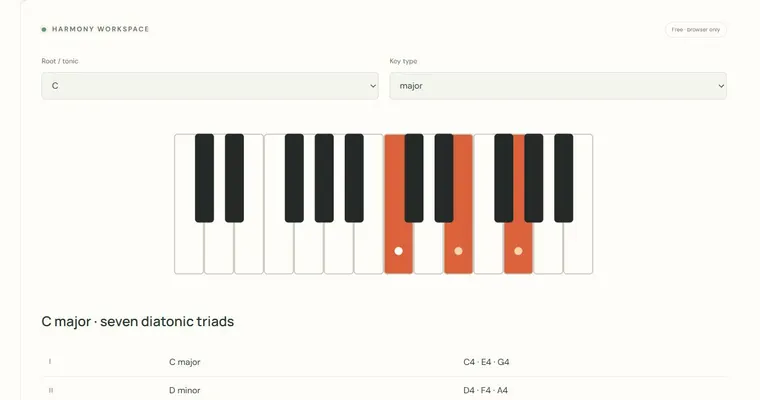
Each number you enter, from 1 to 7, selects a degree of the chosen scale. The tool builds the diatonic triad on that degree, so 1 gives the chord rooted on the tonic, 5 gives the chord rooted on the fifth degree, and so on. For each entry it reports a Roman numeral, the chord quality (major, minor or diminished, as dictated by the scale), and the pitches of the triad. Upper-case numerals indicate major chords and lower-case numerals indicate minor chords. Use this output to confirm that the chord you hear matches the function you intended.
Why degree numbers help
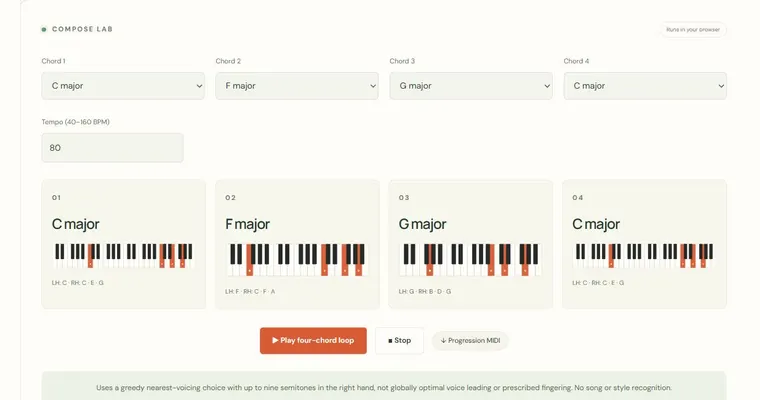
A degree progression separates the structure of a chord sequence from its absolute key. The pattern 1 5 6 4 always describes the same harmonic motion: tonic, dominant, submediant, subdominant. Once you understand that pattern, you can apply it in any key by changing only the tonic. This makes it easier to compare progressions, transpose them mentally and notice which scale-degree relationships recur in music you already know. Each chord in the preview and MIDI export lasts two quarter-note beats, so the tempo control changes how fast the sequence moves, not how the chords are spelled.
Relative keys and tonic chords
A major key and its relative natural minor share the same pitch collection, but they have different tonic chords. C major has C major as its tonic triad; its relative minor, A natural minor, has A minor as its tonic. The same notes therefore produce a different home chord depending on the key type you select. Keep this in mind when you enter 1 as the first degree: the chord it produces is the tonic for the mode you chose, not a fixed chord name. Also note that the tool works with equal temperament and standard diatonic spellings, so enharmonic names follow the selected key.
Try it step by step
- Set Root / tonic to C and Key type to major, then enter 2 5 1 in the degree field.
- Read the Roman numerals and pitches for each chord, and name each one before using the audio control.
- Press the audio control once to hear the finite example and compare it with your predictions.
- Change only Root / tonic to G, predict the new roots (A, D, G), then confirm them in the output and export the MIDI if you need it in another app.
A concrete example
In C major, the degrees 2 5 1 give ii (D minor: D, F, A), V (G major: G, B, D) and I (C major: C, E, G). Changing the tonic to G major keeps the same numbers but moves the chords to A minor, D major and G major, because the second degree of G is A, the fifth is D, and the first is G.
A common wrong turn
Assuming that entering 1 always produces a major chord, or that the same number always gives the same chord name regardless of key type.
Try this instead: Remember that the chord quality comes from the selected scale. In a natural minor key, degree 1 is minor, and degree 6 can be major. Check the reported Roman numeral and quality for each entry rather than relying on a fixed mapping.
Where to go next — and why
This guide was drafted with Claude Haiku and edited against this tool’s implemented controls. Report a confusing instruction or incorrect example.