Make chords ↔ roman numerals part of your practice
This guide explains how the Chords ↔ Roman numerals converter reads a progression, what its results mean in a chosen key, and how to use it alongside a physical instrument or an external app. The tool is a constrained harmonic calculator: it compares chord roots against the major or natural-minor collection of the key you select, and it reports the scale degree of each chord.
What a Roman numeral result means
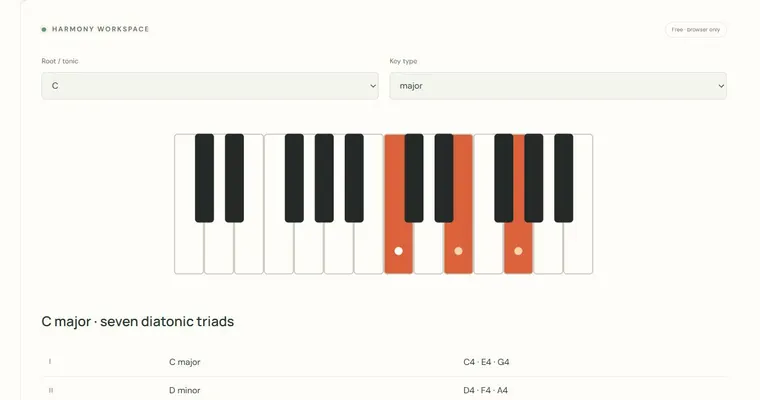
A Roman numeral names a chord by the scale degree of its root within a chosen key. In C major, C is I, F is IV and G is V. Case matters: uppercase numerals indicate major triads and lowercase numerals indicate minor triads, so vi is a minor triad built on A. A degree sign marks a diminished triad. The numeral is therefore a relationship between a chord and a tonal center, not a fixed name for the chord itself. The same chord text can carry a different numeral in another key, which is why the key selector is essential.
Why the key choice matters
Harmonic function depends on the tonic. The tonic chord, I or i, is the one that feels like home. Equal temperament means the twelve pitch classes are fixed in pitch relationships, but the notes that belong to a major or natural-minor collection depend on where the scale starts. Natural minor is the relative minor of a major key: A minor shares the notes of C major, so vi in C major and i in A minor name the same chord. Changing the key to G major keeps the same chord text but shifts the numerals, which is useful for hearing how the same progression behaves in different tonal contexts.
Reading out-of-scale warnings
A flagged result means that the chord root, one of its spelled pitch classes or its explicit bass is outside the selected collection. For example, F major in C major is within the collection, while F minor contains A-flat and is flagged. A raised leading tone or borrowed chord may be intentional. These checks do not infer a modulation, establish the tonic or supply a complete functional analysis. Slash-bass symbols are retained in the input display, but classical inversion figures are not inferred.
Try it step by step
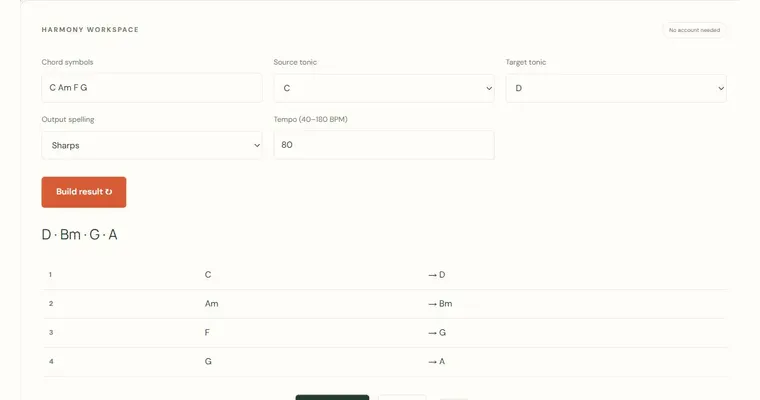
- Choose Chord-to-numeral direction, enter chord symbols separated by spaces, and select major or natural minor with the intended tonic.
- Play the progression on a physical instrument or in an external app and compare the numerals with what you hear, starting from the tonic chord.
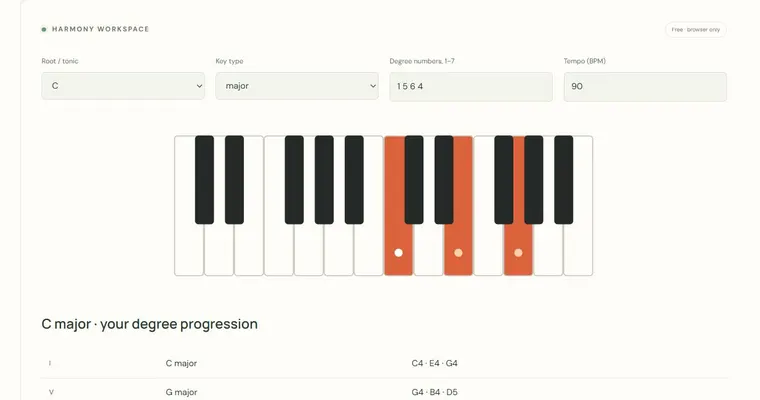
- Switch to Numeral-to-chord direction, enter I vi IV V in G major, and confirm the output is G Em C D.
- Return to Chord-to-numeral mode with a flagged chord, record its root and warning, and test an alternative key or quality to decide whether it is borrowed or intentional.
A concrete example
C F G in C major gives I IV V. I vi IV V in G major gives G Em C D.
A common wrong turn
Changing chord symbols to remove an out-of-scale warning instead of analyzing it.
Try this instead: Keep the original chord text, identify the chord's function, and treat the warning as a prompt to decide whether the chord is a borrowed, applied or deliberate alteration.
Where to go next — and why
This guide was drafted with Claude Haiku and edited against this tool’s implemented controls. Report a confusing instruction or incorrect example.