Make progression builder part of your practice
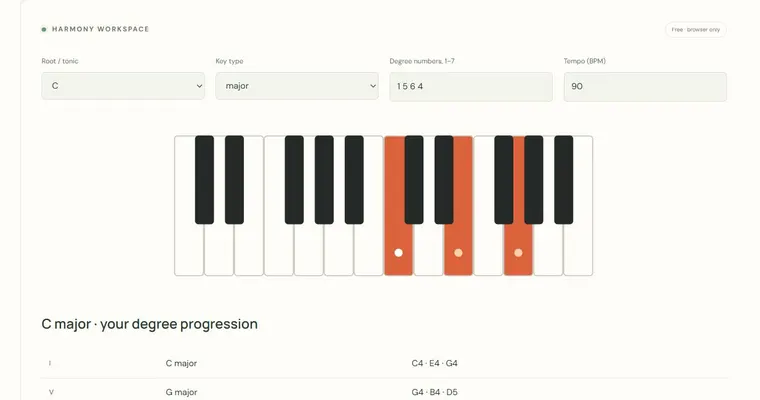
The Progression builder lets you assemble a four-chord loop from major and minor triads, then hear it played continuously with a left-hand bass and compact right-hand voicings. Use it to test how chords sound in sequence, and to export the progression as MIDI for use in another tool or an external app.
What the result means
Each chord slot holds one published major or minor triad. The loop plays each chord for four beats at the tempo you set, between 40 and 160 BPM, so one full pass lasts sixteen beats. The left hand plays a bass note while the right hand plays a compact upper voicing. The voicing is chosen by a greedy nearest-voicing rule: each chord picks the upper position closest to the previous one, within nine semitones in the right hand. This keeps motion smooth in most cases, but it is not a globally optimal voice-leading solution and it does not prescribe a fingering.
Why it helps
Hearing four chords cycle back to the first one lets you judge whether the sequence feels resolved. Changing a single chord slot and listening again shows how one chord changes the direction of the whole loop. Because the tool shows chords as triads, you can compare major and minor colour quickly. Note that the tool does not recognise songs or styles, so it cannot tell you whether a progression matches a particular genre.
Using the output
The MIDI download captures the chord progression so you can continue work elsewhere. Loading that file into a DAW or sequencer happens outside this tool. Likewise, playing the progression on a real piano or guitar is an activity for a physical instrument, not something the tool does for you, and there is no hardware MIDI input or microphone involved.
Try it step by step
- Set each of the four chord selectors to a major or minor triad, choosing a root and quality for every slot.
- Set the tempo between 40 and 160 BPM; remember that each chord lasts four beats.
- Press Listen and let the loop run continuously, then press Stop when you have heard enough.
- Change one chord at a time, listen again, and note which change alters the feeling of the return to the first chord. Then use the download control to save the progression as MIDI.
A concrete example
Choose C major, A minor, F major and G major at 100 BPM. Each chord lasts four beats, so a complete sixteen-beat pass takes 9.6 seconds. Listen for common tones in the compact upper voicings and compare the final G-major chord returning to C major. MIDI export contains one pass, while the browser player repeats until Stop.
A common wrong turn
Assuming the tool has analysed the progression or found a 'correct' key, and expecting it to name a Roman-numeral function for each chord.
Try this instead: Treat the four slots as chosen triads. To work out the function, check the relative key yourself: C major and A minor share the same notes, so A minor is the relative minor of C major. Its tonic chord is A minor, and the tool does not label that relationship for you.
Where to go next — and why
This guide was drafted with Claude Haiku and edited against this tool’s implemented controls. Report a confusing instruction or incorrect example.