Make virtual piano & phrase recorder part of your practice
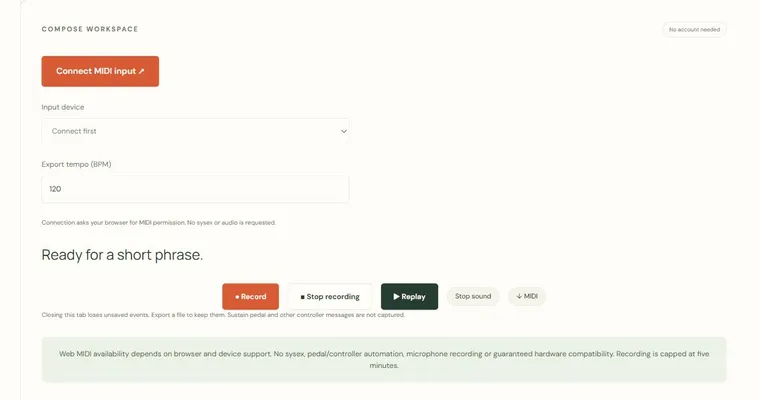
The Virtual piano & phrase recorder captures how long each key is held, not just which pitches you play. Use it to shape a short musical idea, hear the phrasing back, and check whether the rests and note lengths say what you intended. Play with touch, the mouse, or the displayed computer-key shortcuts on the two-octave keyboard.
What the recorded timing tells you
The recorder stores a note from the moment a key is pressed until it is released, so the result shows duration as well as pitch. A half-second C4 followed by a silence and then a longer G4 is a different phrase from four equal notes, even if the pitches match. Replaying the take lets you hear whether the gaps read as deliberate rests or accidental hesitations. Rests are silences of a set length; a quarter-note rest at 120 BPM lasts half a second, because one beat at 120 BPM is 0.5 seconds.
Why listening to phrasing helps
Phrasing is the way a melody breathes: where it pauses, where it leans toward a resting point, and how long it lingers. Recording a four-note idea and then an answer makes these choices audible. You can compare two versions of the same notes with different spacing and notice which one feels more finished. The tool's simple synthesized tone is best used to judge rhythm and shape, not timbre.
Why pitch relationships matter
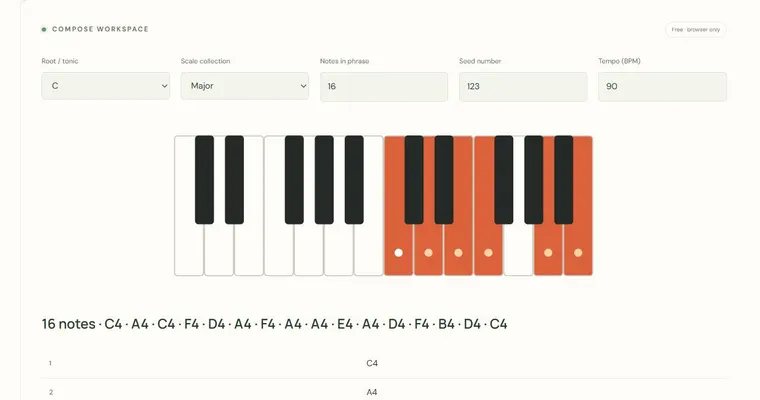
In equal temperament the octave is divided into twelve equal semitones, so C4 to E4 is four semitones (a major third) and C4 to G4 is seven (a perfect fifth). A phrase built from C, E and G is outlining a C major triad, and C is the tonic that tends to feel like home. Relative keys share a key signature: A minor is the relative minor of C major because both use the same seven notes, with A as the tonic. Knowing which note is the tonic helps you decide where a phrase should end. At the physical instrument or in an external app, you can check these intervals by ear against a real piano or a tuner. The virtual keyboard is a practice surface, not a substitute for that.
Try it step by step
- Release any held keys, choose Record, then play C4, E4 and G4 with different durations. Leave a deliberate gap between two notes.
- Press Stop, then play the take back and listen for whether the gap between notes feels intentional.
- Plan a four-note idea and then a deliberate rest, and record the complete phrase in one take.
- Compare the phrasing before using Share or the MIDI option, and keep the take only if the ending sounds settled on the tonic.
A concrete example
At a counted 120 BPM, hold C4 for half a second, rest for half a second, hold E4 for half a second and hold G4 for one second. The recorded notes plus the internal rest span 2.5 seconds. Gaps between notes are retained, but silence after the final released note is not encoded as an extra ending rest. Shared phrases support up to 64 notes within 90 seconds; export longer takes as MIDI.
A common wrong turn
Assuming a silence between notes is automatically a musical rest, and recording many short, uneven gaps by accident.
Try this instead: Decide the rest length before you play, counting beats at your chosen tempo, then record the phrase slowly. Replay the take and remove any unintended gaps by recording again.
Where to go next — and why
This guide was drafted with Claude Haiku and edited against this tool’s implemented controls. Report a confusing instruction or incorrect example.